Rocscience | Ground Improvement Just Got Better with Settle3's New Advanced Staging of Stone Columns Sponsored

When it comes to ground improvement, installing stone columns often requires testing out different soil model designs and analysis to find the best-suited solution. This back-and-forth process can result in increased cost and time overruns.
To provide you with more flexibility that will help save time and improve accuracy with varying stiffness of stone columns along depth, the new Stone Column Advanced Staging, a highly requested feature from Settle3 users, has now been implemented. You can now improve ground conditions by applying stone columns at different depths and stages.
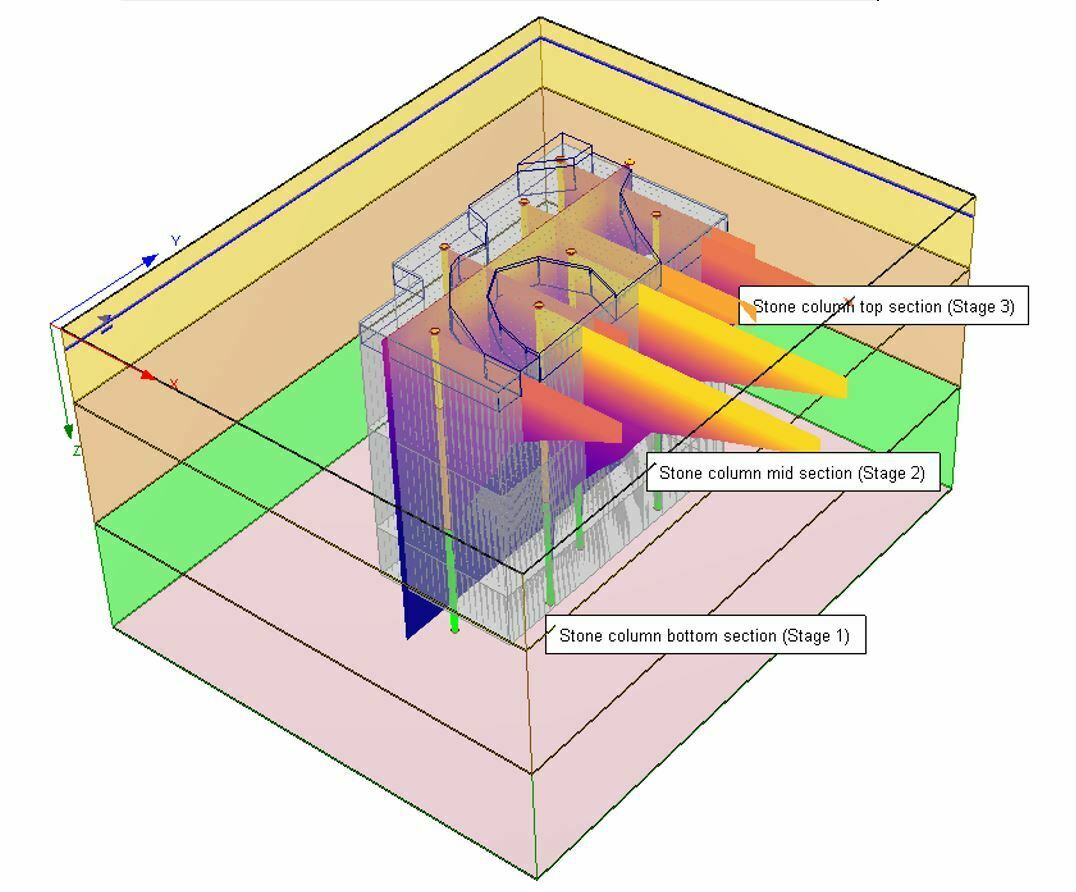
Previously, you would assign constant stiffness along the depth of the soil model, at a specific stage of installation. Now, this new functionality will allow you to assign columns with different properties (elastic modulus and diameter of the columns) in different stages. Below is an example model that shows step step-by-step application of stone columns at different stages of the ground improvement region.
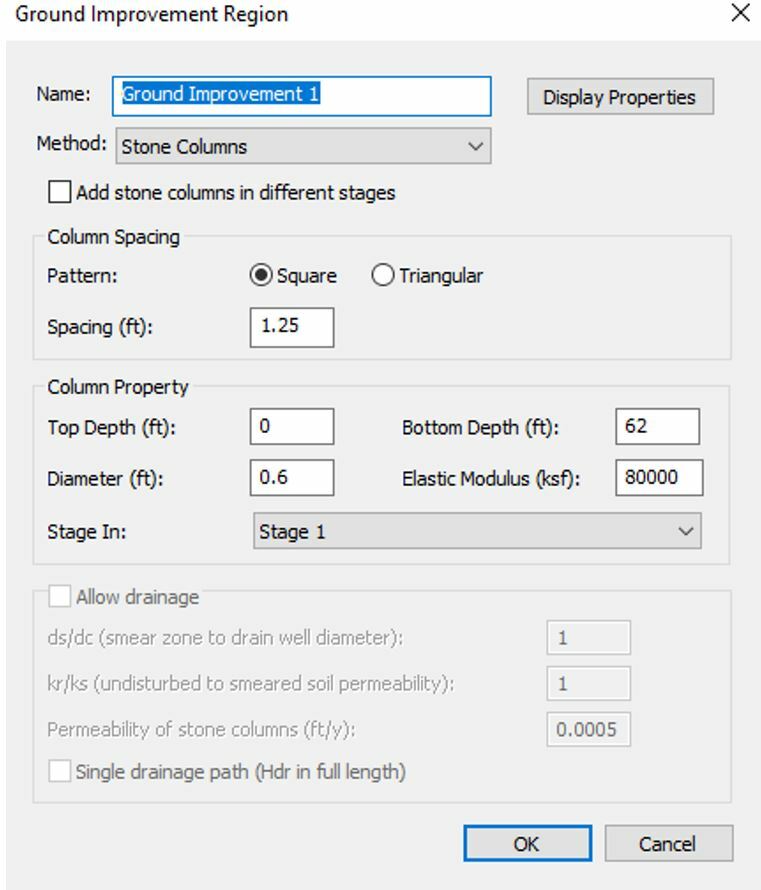
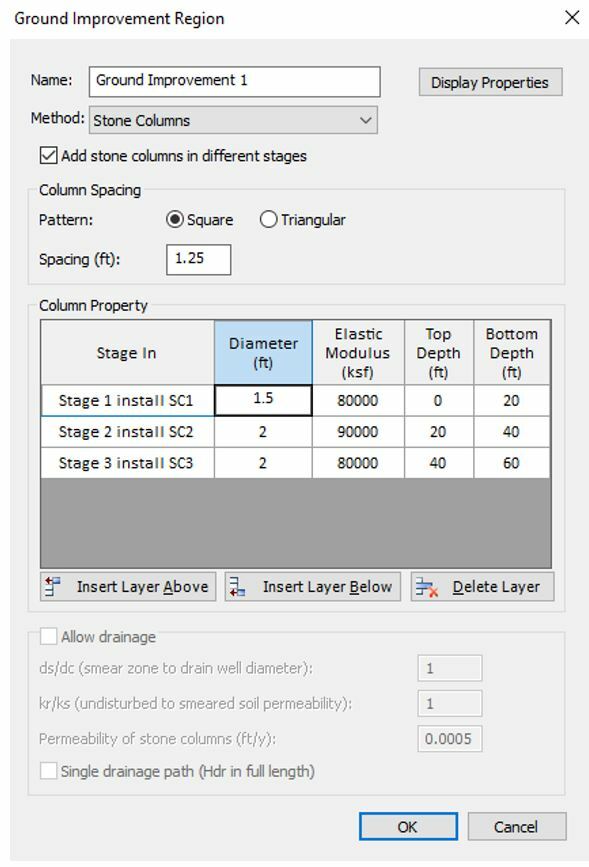
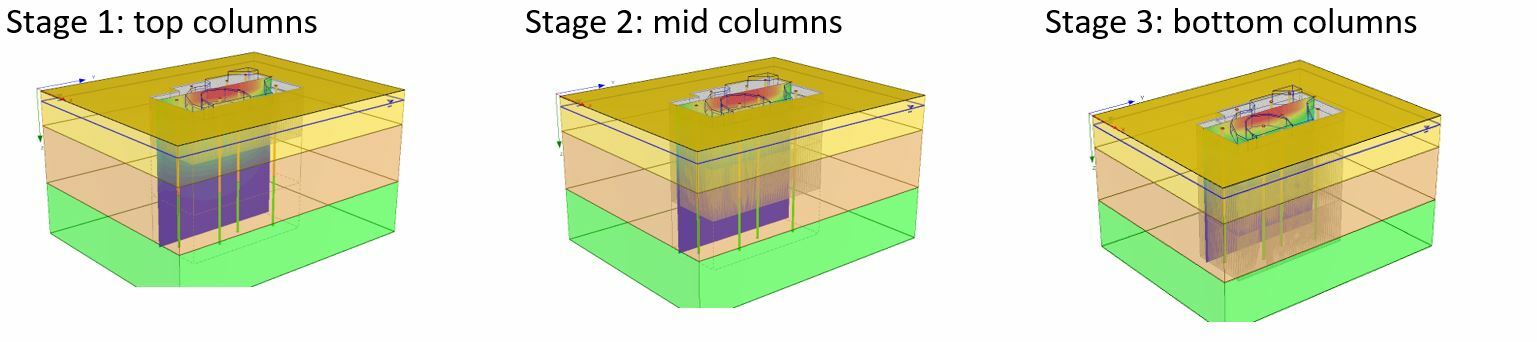
This tool becomes useful especially when you have soil layers with different stiffness and want to reinforce these layers based on their stiffness. For example, you will be able to use higher stiffness columns for soft soil regions and lower stone column stiffness for an area with stiff soil layers.
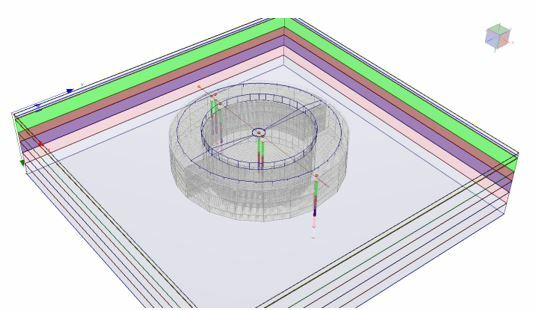
To highlight this, Figure X (below) shows how staged stone columns are applied to the water tank with a less stiff region around the structure and a closely reinforced column region in the vicinity of the load.
The Figure (below) outlines advanced staging on a large water tank load with staged loading where soil stiffness varies along the depth. As the loads are accumulated with water over time, applying stone columns in previous stages will help engineers better estimate the consolidation settlement with respect to time with this new feature.
For more details about using this ground improvement feature, check out Settle3’s user guide.
Better Visualization for Better Reporting
Think of the times when you were interested in query plots, but the soil layers shown in the query graph weren’t matching the exact colour of soil material properties colour, you needed the functionality to set the suitable colour for each material. A new feature has been added to Settle3 which enables users to adjust the transparency of soil layers shown in the query graphs. You can change the transparency to the value ranging from 0 to 100% to your desired look for the plots.
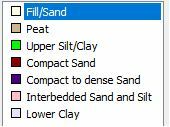
The updated graph view with the example below captures the colour schemes that are used for the soil layers:
If a transparency of 0 is used, you will see a query graph with the exact colour match to the soil layers as shown below.
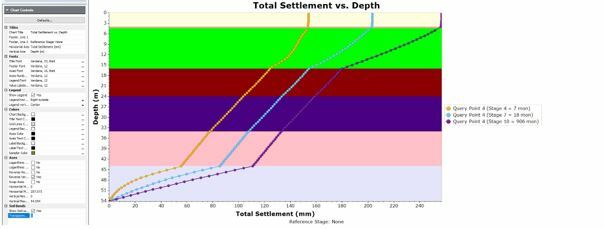
If the colour is too apparent, you can adjust the transparency to 95 and you will see the following plot as shown below.
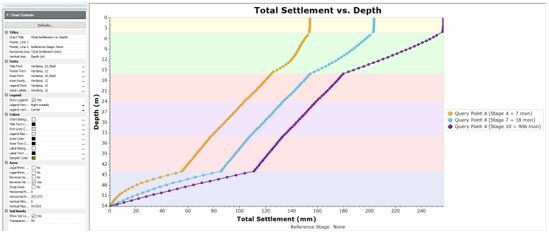
If you have a lease license or an active Maintenance+ subscription, you’ll have access to this feature in the latest Settle3 version (5.019).
Settle3: Delivering Tools that Meet your Ground Improvement Needs
While ground improvement with stone columns is a viable solution, adding more customization options for modelling makes it even better. Settle3’s stone column with advanced staging feature enhances ground improvement by adding to the tools that you need in one program. Additionally, the new soil layer transparency modification option will help make your reports look visually captivating. These added functionalities of Settle3 will not only make your analysis comprehensive and time-saving but cost-effective at the same time.
Ground Improvement Redefined
Seamlessly customize stone columns for ground improvement
Get a Free Trial of Settle3Want to read more like this story?

An Overview of Column-Based Soil Improvement Modelling with PLAXIS
Feb, 16, 2025 | NewsSoil improvement is a critical process in geotechnical engineering, aimed at modifying soil proper...

Settle3
Oct, 02, 2020 | Software
Improving weak soils with columns of compacted crushed concrete
Jun, 17, 2021 | NewsKeller’s committed to reducing its impact on the environment by offering clients more sustainable s...
Optimizing Soil Improvement with PLAXIS: Techniques and Benefits
Nov, 12, 2024 | NewsSoil improvement refers to the process of modifying the physical properties of soil to improve its...

Bentley Webinar | Enhancing Ground Stability: Exploring Geosynthetic Encased Stone Column Techniques with PLAXIS 3D
Aug, 17, 2023 | EventJoin us for an informative webinar where we’ll delve into the fascinating world of ground stabiliza...

Rocscience | Settle3's New Section Designer
Sep, 13, 2022 | NewsSettle3 is one of the industry's leading 3D Settlement and Foundation Analysis tools. It allows you...
3D PLAXIS Model Validates 2D Design for Geosynthetic-Encased Stone Columns Beneath Bavarian Roundabout
Aug, 07, 2026 | NewsA three-dimensional PLAXIS finite element model has been used to verify and cross-check a two-dimens...
Deep Soil Mixing
May, 29, 2019 | EducationDeep Soil Mixing is a ground improvement technique that enhances the characteristics of weak soils b...
Rocscience | Another step towards software interoperability - Settle3 and RSLog
Mar, 01, 2022 | Newsby Yipin Lu Rocscience software is designed to not just help engineers solve complex problems but a...
Form
Looking for more information? Fill in the form and we will contact Rocscience Inc. for you.
On This Day
August 11th 1988
READ MORE
Trending
Brownfield success: Engineering excellence starts below ground

Scripting Comes to RS3: Automate, Customize, and Accelerate Your 3D Modelling

2D and 3D Analysis of Retaining Systems

Mine waste dam failure in Myanmar caught on video
Tailrace tunnel breakthrough advances Australia’s largest renewable project

A Legacy of Leadership, Mentorship & Service: Gary L. Seider P.E.