Geotechnical modeler replacement: making the subsurface part of your Civil 3D design with GeoDin Ground Sponsored
If you design infrastructure in Autodesk Civil 3D and you have outgrown manual borehole imports, the most complete option available today is GeoDin® Ground - a free app on the Autodesk App Store that connects Civil 3D directly to a live geotechnical database instead of pushing static files into the drawing. It sits in the category of civil geotechnical and geospatial software: tools that turn site investigation data into a quarriable ground model - a geomodel - you can design against. The deeper question it answers is one most BIM workflows still get wrong: when do designers actually see the ground, and how current is it when they do?
The stakes are not abstract. In December 2013, the world's largest tunnel boring machine stalled roughly 1,000 feet into its drive beneath Seattle after striking an 8-inch steel well casing - a casing left behind by the project's own groundwater investigation a decade earlier. The obstruction was already in the historical site investigation record. It just did not survive the handoff into design and construction planning. The stoppage ran about two years and roughly $223 million in overruns, and the dispute ended with the contractor ordered to pay the state $57 million (Seattle Times).
Bertha is an extreme version of an everyday problem. Ground data is still routinely delivered as a 150-page PDF report sent over the fence as an email attachment - no version control, no link to the design model. Designers commit to alignments and foundation locations at the moment they know the least about the ground. HKA's 2024 CRUX Insight report, covering 2,002 projects across 107 countries, found design-related failings at the top of dispute causes: incorrect design implicated in 30.9% of disputed projects and late issue of design information in 22.2%, with unforeseen physical conditions a recurring main cause (HKA CRUX Insight). Separately, FMI and Autodesk estimated that “bad data” may have cost global construction $1.85 trillion in 2020 (Autodesk/FMI).
The subsurface is the last static handoff in a live design model
Everything else in a modern Civil 3D project is connected. Surfaces, alignments, corridors, and quantities update as the design moves. The ground is the exception. It still arrives the old way: borehole data exported to an AGS or CSV file, imported by hand, and good only until the next round of drilling makes it wrong again. That is how Autodesk's Geotechnical Modeler works - you import location, depth, and lithology, and you re-import every time the investigation is updated. It is honest, useful work, and many teams (us included) have relied on it. But it captures a thin slice of the geotechnical record, and the moment the file lands it is a snapshot, not a connection. On Autodesk's own community forums, users describe the workflow as too labor-intensive (Autodesk Community); contractors at tender stage describe recreating boreholes from PDF appendices just to estimate unsuitable soil quantities - slow, and easy to get wrong.
Civil 3D users have already lived through one transition here. The original Geotechnical Module was discontinued after its developer, Keynetix, was acquired in 2019; Autodesk then shipped its own Geotechnical Modeler with Civil 3D 2022 (New Civil Engineer; Geoengineer.org). The lesson is not about any one tool. It is that the subsurface link in Civil 3D keeps being treated as a file importer, when teams carrying decades of ground data need it to be a live connection to a system of record.
GeoDin Ground makes the database the model
GeoDin Ground is a free Civil 3D app that reads borehole data live from a GeoDin geotechnical database, so the drawing always reflects the latest site investigation data. Rather than importing files, it adds a ribbon to Civil 3D 2025 and 2026 and connects straight to the database - file-based or client-server, including fully offline. GeoDin Ground for Civil 3D is the actively developed path forward, with the GeoDin and Autodesk teams collaborating on the plug-in roadmap.The workflow is direct:
- Site investigation data is captured and validated in the GeoDin database - boring logs, samples, classification and index tests, CPT, SPT, groundwater readings, well design, and attached documents.
- The GeoDin Ground ribbon connects to that database; the engineer selects locations across one or more projects.
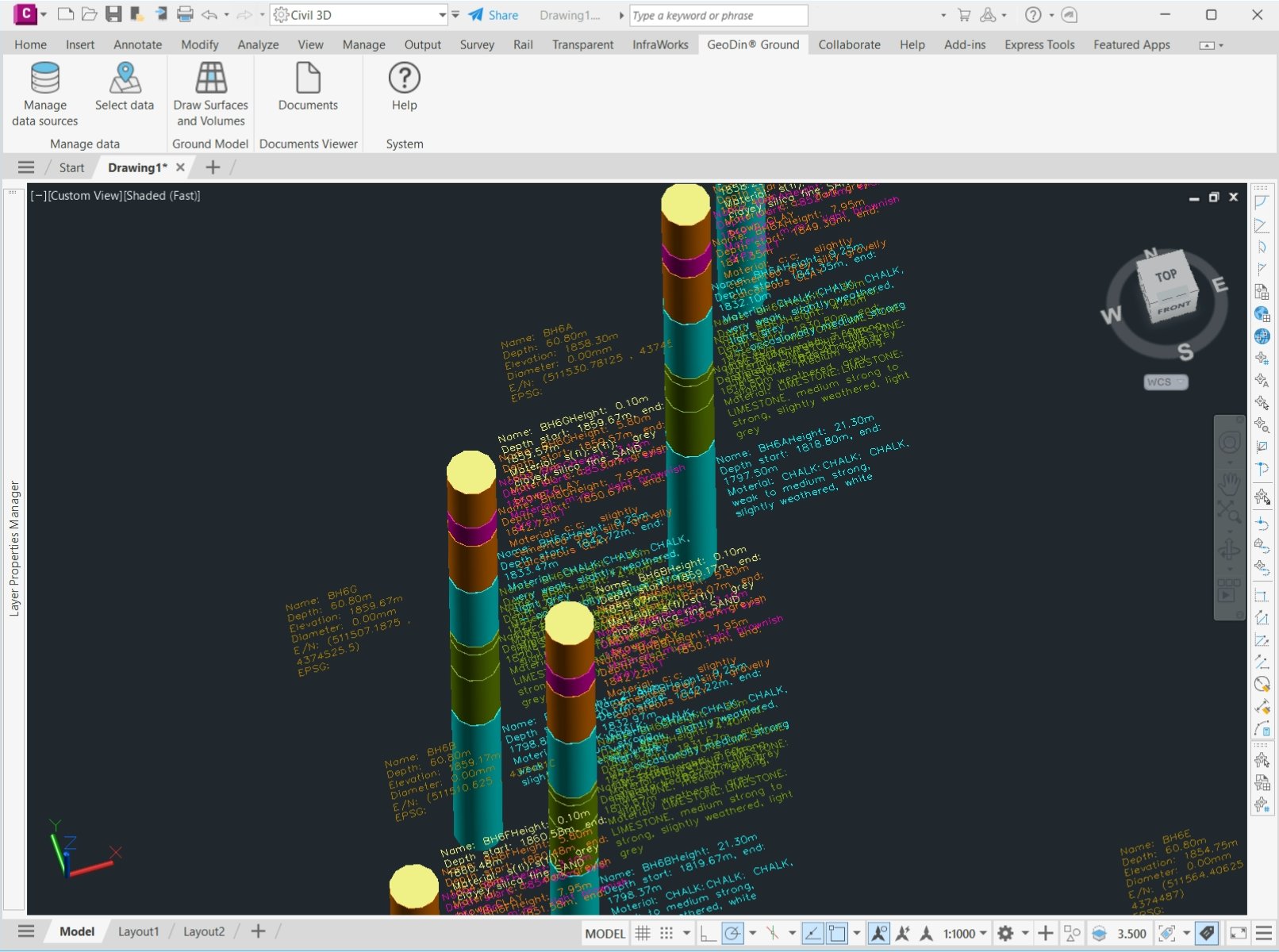
- Boreholes appear as 3D sticks, segmented and colored by soil unit, with per-layer descriptions to EN ISO 14688/14689, ASTM D2487, BS 5930, or Brazilian ABNT, plus coordinates, elevation, and EPSG metadata.
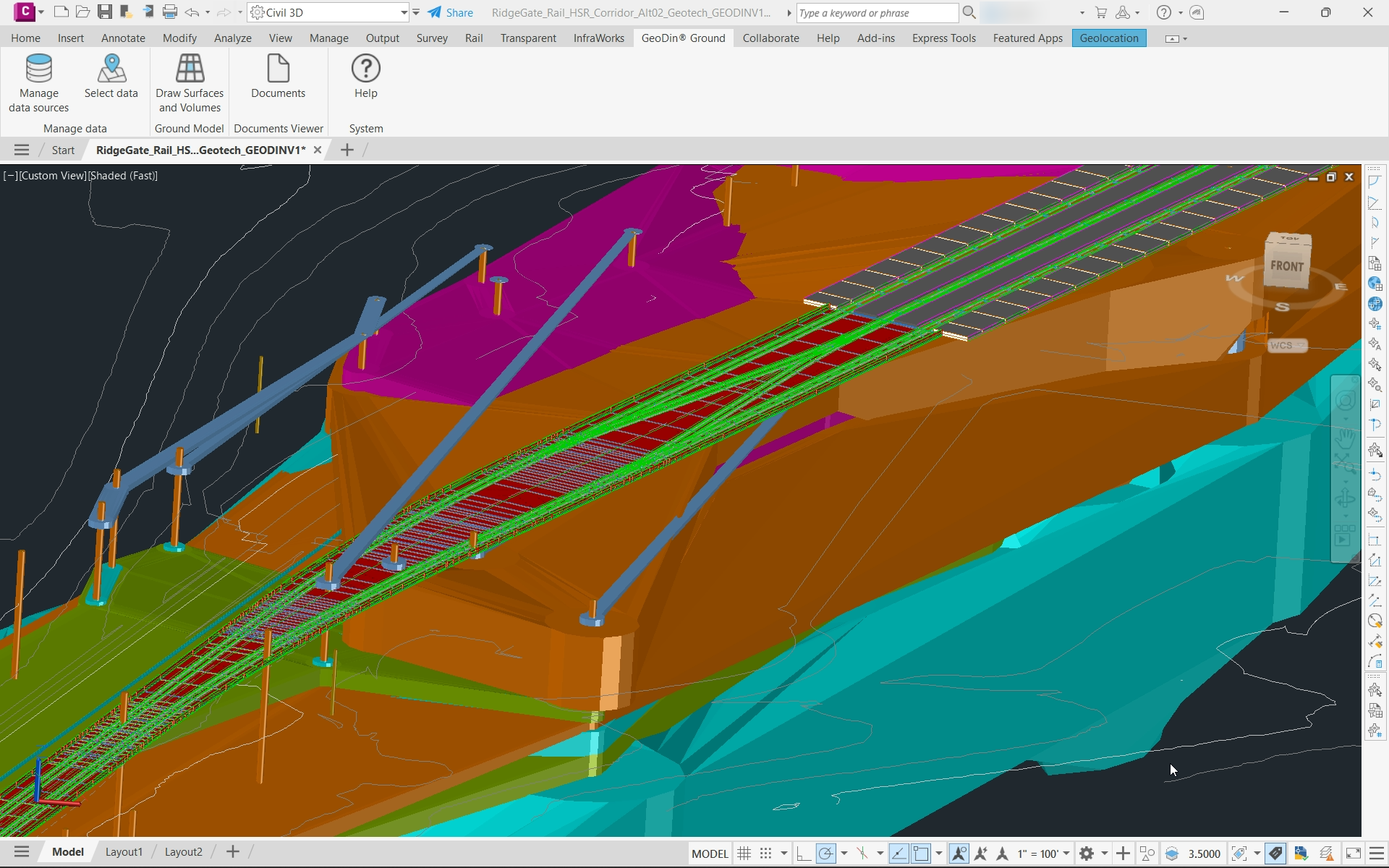
- Interpolated geological surfaces and 3D solids - the ground model, or geomodel - are generated as native Civil 3D objects, one solid per soil layer, editable with Civil 3D's own tools.
- When new boreholes arrive, the model is regenerated.
This workflow starts with one assumption - that the GeoDin database is already there. Not every team runs GeoDin yet, so if you have AGS files but no geodatabase to point GeoDin Ground at, our geotechnical team can arrange your data in GeoDin for you - then you view and work with it in Civil 3D through GeoDin Ground, with no subscription required to get started.
Where GeoDin Ground goes beyond the Geotechnical Modeler
The difference is not a longer feature list; it is the shift from a file importer to a live connection. Here is how GeoDin Ground compares to the Geotechnical Modeler:
| Capability | GeoDin Ground | Geotechnical Modeler |
| Data import | Live connection to the GeoDin database; real-time selection across multiple databases and projects | Manual import of basic data (AGS or CSV) each time |
| Data updates | Controlled, incremental refresh from the database | Manual re-import whenever data changes |
| Data types | Full boring logs plus geotechnical parameters | Location, depth, and lithology only |
| Data in Civil 3D | Exposed to Civil 3D calculations and filtering via property sets | Limited use of advanced Civil 3D capabilities |
| Reporting | Backed by GeoDin's reporting engine and templates | None |
| Visualization | 3D boreholes, virtual logs creation, layers, surfaces, and solids with per-layer customization | Basic 3D only |
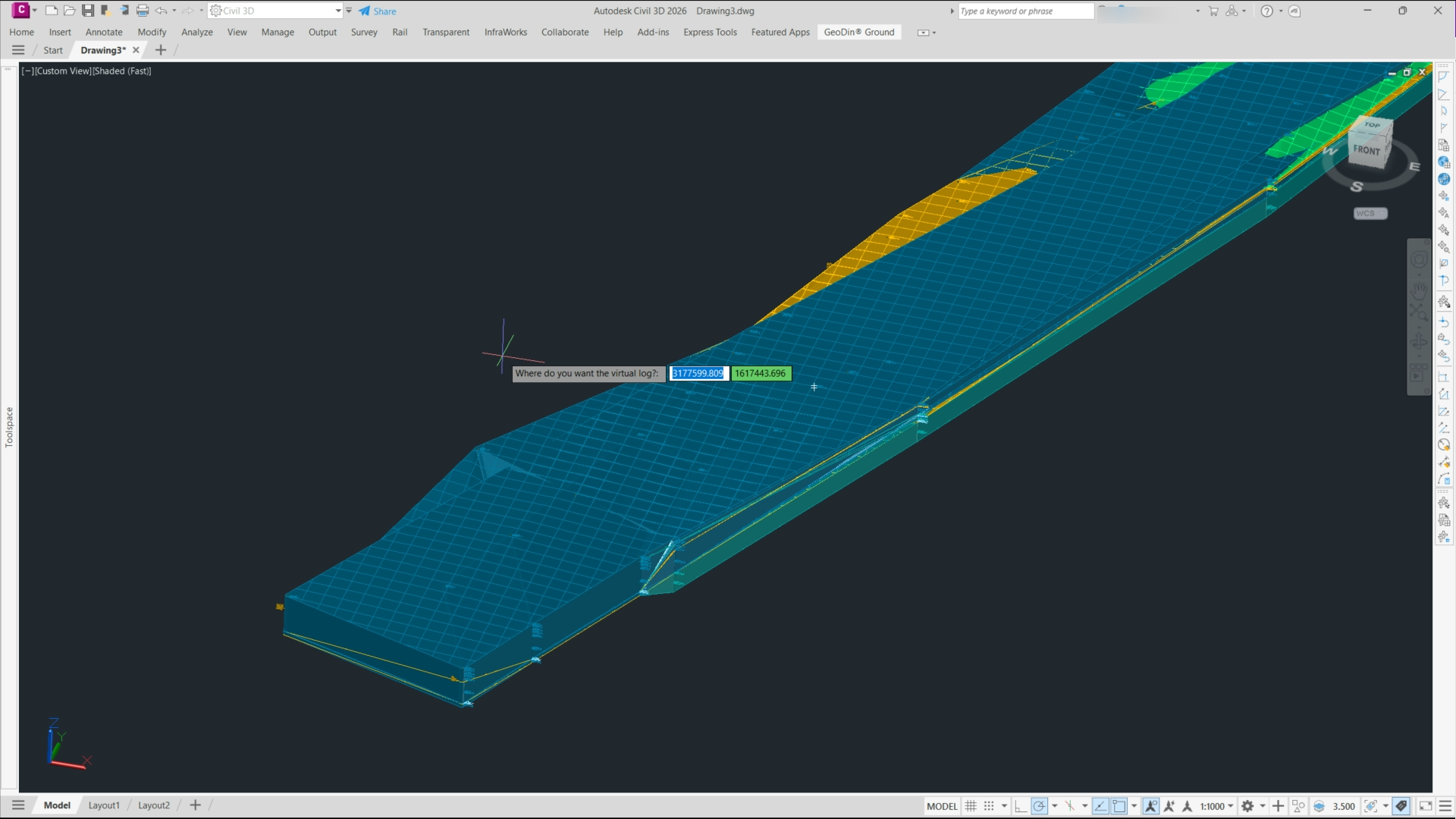
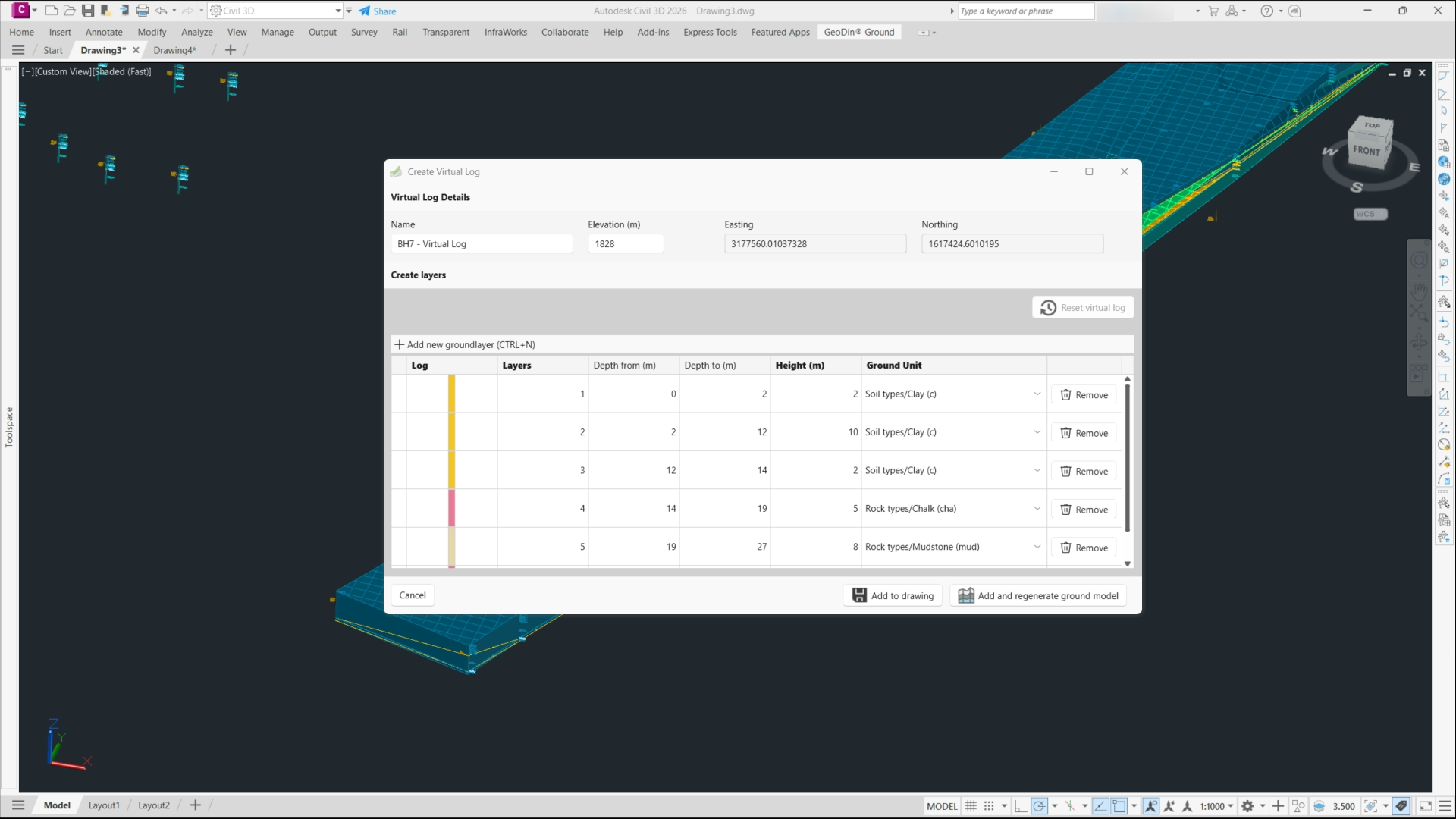
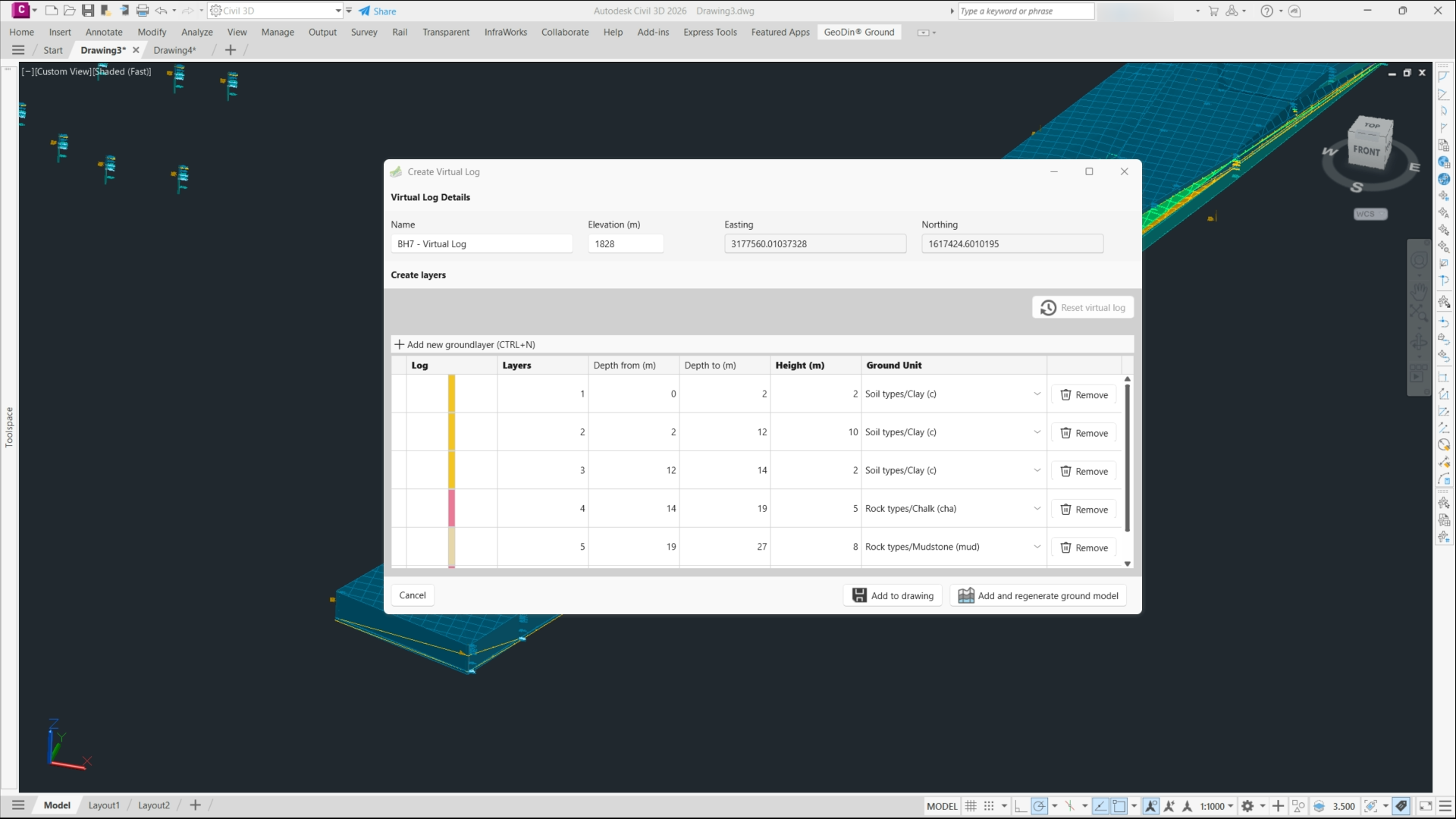
One capability that is worth singling out as it was released this year is virtual logs (also called virtual boreholes). With this feature, engineers can place a synthetic borehole anywhere in the model: by hand or copied from the nearest real borehole or sampled from the current surfaces. Teams can use them to fill data gaps, test geological scenarios without drilling, and plan where to drill next, without any extra cost involved. Finally, they are clearly flagged as virtual and never written back to the database, so expert judgment shapes the model without ever contaminating the original record.
What makes a geomodel you can trust
A ground model is only as trustworthy as the data and the judgment behind it, and accuracy comes from three things.
First, the inputs are validated at source: standards-compliant boring logs with automatic error checks, so the geomodel is built on data that has already been quality-controlled rather than a spreadsheet someone re-keyed.
Second, the interpolation produces native surfaces and solids you can inspect and edit, not a black box - so you can see where the model is bridging sparse data and where it is well constrained.
Third, virtual logs let a geologist hold the model to expert judgment, so a known lens or fault survives every regeneration of the model instead of being dismissed. When new boreholes are generated, a refresh updates the geomodel without discarding that judgment. Afterall, accurate ground models come down to trustworthy inputs, transparent interpolation, and a way for an expert to correct the machine.
From static figure to living design data: where geomodeling is heading
Geomodeling has moved on from the file-and-redraw era, and you can see the shift in what GeoDin Ground does inside Civil 3D today:
- From file push to live database connection
Instead of importing a file, GeoDin Ground reads ground data straight from the GeoDin database through its Civil 3D ribbon, so the model reflects the latest site investigation rather than a snapshot exported weeks ago - and a controlled refresh brings new boreholes in without re-keying.
- From display graphics to native, editable solids
Ground generates interpolated surfaces and one solid per soil layer as real Civil 3D objects carrying property sets, so you can run volumes and filters on them – for example how much clay an excavation removes per unit.
- From algorithm-only to expert-constrained interpolation
With virtual logs, geologists place synthetic boreholes that constrain the interpolation, encoding judgment into the model instead of accepting whatever the math produces.
- From PDF handoff to federated BIM
The ground model carries through with the design via IFC, so the subsurface travels into the BIM deliverable as classified, quarriable data rather than a flattened appendix.
The broader direction of travel is richer inputs - geophysics and remote sensing feeding the ground model alongside boreholes, so teams can scan more of the ground before they drill it. The common thread is the same one GeoDin Ground is built around: the geomodel becomes living design information rather than a static figure.
What the industry actually needs from geotechnical software - and where the classic tools fall short
Talk to enough geotechnical and design teams and the same needs surface, none of which a file importer was built to meet.
Teams need the ground model to stay current. A tool like the Geotechnical Modeler imports location, depth, and lithology from an AGS or CSV file, and that import is correct only until the next round of drilling - then someone re-imports by hand. GeoDin Ground reads live from the database instead, so the drawing reflects the latest investigation, and a controlled refresh keeps it that way.
They need more than a soil name. Design decisions lean on the full record: samples, classification and index tests, CPT, SPT, groundwater, well design - not the thin slice a basic importer carries. Behind every borehole in Ground sits that complete record, one click from the original logs and photos.
The honest caveat still holds - if you only need a basic log and nothing more, a database-backed system may be more than the job calls for - trial it and judge for yourself. But where ground risk is a contractual reality, the file-based approach runs out of road, and a live connection to a system of record is what teams are really reaching for.
See your own ground in Civil 3D
GeoDin Ground is free on the Autodesk App Store - install it, point it at a GeoDin database, and your boreholes, layers, and surfaces come to life inside Civil 3D.
Don't have a GeoDin database yet?
Talk to our geotechnical team about arranging your data in GeoDin for you, so you can use your project data in GeoDin Ground without setting up the database yourself.
Image Gallery
Want to read more like this story?

Enable true ground-informed design in Civil 3D
Jul, 02, 2026 | NewsOur understanding of ground conditions evolves with the project, so geotechnical design teams need a...

Life after gINT - Rethinking geotechnical data management for a new era
Mar, 26, 2026 | NewsA turning point for the industry gINT has long been the backbone of geotechnical data management....

GeoDin
Feb, 13, 2026 | Software
Soil and borehole logging: the steps are solved, the handoffs are not
Jul, 15, 2026 | NewsConsider the asymmetry at the heart of ground engineering. Site investigation typically accounts for...

Leapfrog Works
Dec, 29, 2022 | Software
Eurocode's Ground Model Revolution: A New Era in Geotechnical Engineering
Dec, 25, 2024 | NewsThe Ground Model, as defined by the 2nd generation Eurocode 7, serves as a "site-specific outline o...
Enable True Ground-Informed Design in Civil 3D with OpenGround
Jun, 12, 2026 | EventJoin us to discover how the OpenGround extension for Autodesk Civil 3D enables true ground-informed...

Subsurface Informed Infrastructure Series: Subsurface data management and 3D modelling
Aug, 01, 2025 | EventJoin us for an online workshop where you'll learn how Seequent solutions can enable your team to co...

How to create 3D dykes using SOIVISION 3D extrusion tools
Sep, 04, 2020 | NewsAdvanced 3D tools such as SVDESIGNER offer a lot of power to the user, but such power is not alw...
On This Day
August 11th 2012
READ MORE
Related Video

Trending
Fehmarnbelt tunnel advances with first element ready for immersion

Geotechnical Engineering 2032 Boom: Trends, Challenges, and Emerging Opportunities
Emergency protocols activated following offshore 7.7 magnitude earthquake in Japan
Active landslide threatens long-term connectivity in southern Bulgaria
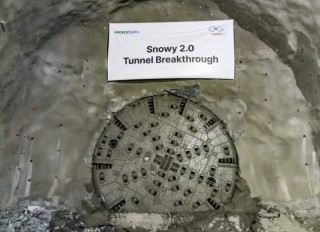
Tailrace tunnel breakthrough advances Australia’s largest renewable project
A Legacy of Leadership, Mentorship & Service: Gary L. Seider P.E.