Watch Keynetix's video and learn how to display Boring Data in AutoCAD Civil 3D! Sponsored
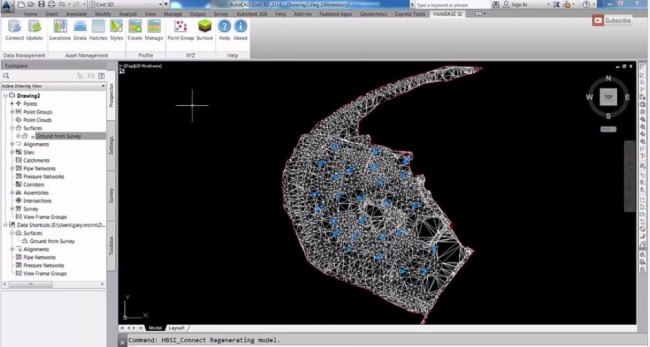
In this video you will learn the best practice for importing and displaying borehole data into the Geotechnical Module for AutoCAD Civil 3D using the Connection to HoleBASE SI.
The visualization of Boring data in AutoCAD Civil 3D is a time-consuming process and relies on the engineer's passing borehole logs to the CAD technician to draw up the sections, profile or strips. However, HoleBASE SI Extension for AutoCAD® Civil 3D allows quick and easy inclusion of all your geotechnical and site investigation data within the CAD environment, while it quickly understands the location and geology in the context of your site or forms the basis to start modelling the strata.
Watch video below and learn more about the HoleBASE SI Extension for AutoCAD® Civil 3D !

Source: Keynetix
Want to read more like this story?

Keynetix develops Geotechnical Module for AutoCAD Civil 3D 2015
Aug, 07, 2014 | NewsKeynetix has recently developed a new Geotechnical module, which is incorporated into AutoCAD Civil...

Mastering HoleBASE SI Extension for AutoCAD Civil 3D
Apr, 22, 2019 | EventWhen: June 18, 2015 This one-day hands-on course for up to 6 delegates includes detailed trai...

Keynetix Webinars Series 9: Revolutionise your CAD modelling with HoleBASE SI Extension for AutoCAD
Apr, 22, 2019 | EventAfter man years of re-development the new look Extension for AutoCAD Civil 3D has been released to a...

Keynetix: Watch this fantastic Visualization on presenting 3D borehole models!
Mar, 27, 2015 | NewsIn this video you will learn how to transform your Geotechnical Data using a 3D Borehole Model...
Keynetix: New Release for Autodesk Geotechnical Module !
Jun, 25, 2015 | NewsKeynetix are delighted to announce that Autodesk have released the latest version of the Autodesk Ge...

New Youtube video from Keynetix: Modelling Geology fault in AutoCAD Civil 3D
Jun, 26, 2014 | NewsFollowing the success of the first YouTube video on AutoCAD Civil 3D, Keynetix is pleased to present...

Keynetix releases new features for HoleBASE SI product suite
Feb, 01, 2015 | NewsKeynetix's development team have been working hard for further improvement of HoleBASE SI product su...

Learn more about the new AutoCAD Civil 3D Geotechnical Module with Keynetix
Jun, 21, 2017 | NewsKeynetix is offering a free webinar explaining the new features and capabilities of the Geotechnical...

New AutoCAD Civil 3D Geotechnical Module boosts usability
Aug, 26, 2016 | NewsAutodesk’s Geotechnical Module for AutoCAD Civil 3D 2017 makes it even easier to integrate and visu...
Form
Looking for more information? Fill in the form and we will contact Bentley for you. Alternatively, you can visit Bentley's website and speak with a Bentley Geotechnical Expert.
On This Day
August 18th 1886
READ MORE
Related Video

Trending

New crustal stress map of North America

Using Terzaghi’s Equation in Foundation Design

Parameters Variation: Model Customization and Sensitivity Analyses

UK geothermal projects expand from Cornwall power to Birmingham heating
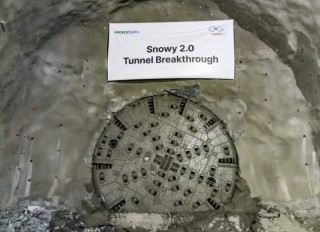
Tailrace tunnel breakthrough advances Australia’s largest renewable project

A Legacy of Leadership, Mentorship & Service: Gary L. Seider P.E.