Learn more about the new AutoCAD Civil 3D Geotechnical Module with Keynetix Sponsored

Keynetix is offering a free webinar explaining the new features and capabilities of the Geotechnical Module for AutoCAD Civil 3D 2018.
The latest version of Autodesk’s Geotechnical Module will help streamline the production of geotechnical drawings and models.
The free add-on to AutoCAD Civil 3D now has a Fence Diagram command, enabling users to create two-dimensional cross-sections and add them to 3D models quickly and easily.
There is also a new Geotechnical Property feature and Geotechnical Export command, making it simpler to produce and share 3D geotechnical models with other software, such as Infraworks. Users can also create cross-sections far more quickly using the new Layer Manager.
To see what is new, watch the latest YouTube video https://www.youtube.com/watch?v=3JpX-p6wOBw&feature=youtu.be
The webinar will be held on 28 June 2017 from 5-6pm BST. To register, click here
To find out more about the module’s new features, visit the Keynetix website.
Media
Want to read more like this story?

Keynetix develops Geotechnical Module for AutoCAD Civil 3D 2015
Aug, 07, 2014 | NewsKeynetix has recently developed a new Geotechnical module, which is incorporated into AutoCAD Civil...

New AutoCAD Civil 3D Geotechnical Module boosts usability
Aug, 26, 2016 | NewsAutodesk’s Geotechnical Module for AutoCAD Civil 3D 2017 makes it even easier to integrate and visu...
Other Geotechnical
Jun, 04, 2019 | Education
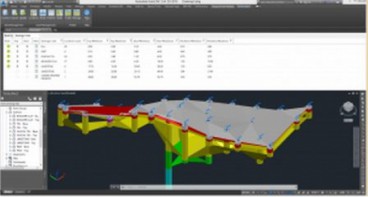
Keynetix: New Release for Autodesk Geotechnical Module !
Jun, 25, 2015 | NewsKeynetix are delighted to announce that Autodesk have released the latest version of the Autodesk Ge...

Keynetix: Watch this fantastic Visualization on presenting 3D borehole models!
Mar, 27, 2015 | NewsIn this video you will learn how to transform your Geotechnical Data using a 3D Borehole Model...

New Youtube video from Keynetix: Modelling Geology fault in AutoCAD Civil 3D
Jun, 26, 2014 | NewsFollowing the success of the first YouTube video on AutoCAD Civil 3D, Keynetix is pleased to present...

Keynetix Webinars Series 9: Revolutionise your CAD modelling with HoleBASE SI Extension for AutoCAD
Apr, 22, 2019 | EventAfter man years of re-development the new look Extension for AutoCAD Civil 3D has been released to a...

Mastering HoleBASE SI Extension for AutoCAD Civil 3D
Apr, 22, 2019 | EventWhen: June 18, 2015 This one-day hands-on course for up to 6 delegates includes detailed trai...

Keynetix’s latest YouTube Training Video on AutoCAD Solid Geology Creation
May, 21, 2014 | NewsKeynetix has expanded their online presence to include a new YouTube Channel dedicated to Geotechnic...
Form
Looking for more information? Fill in the form and we will contact Bentley for you. Alternatively, you can visit Bentley's website and speak with a Bentley Geotechnical Expert.
On This Day
August 11th 1988
READ MORE
Related Video

Trending
Seven Frequently Asked Questions about Helical Piles

Block caving: A new mining method arises

Categories of isolated foundation footings
Maharashtra's longest road tunnel to be completed soon

Carnian Pluvial Episode: That time when it rained for 1-2 million years
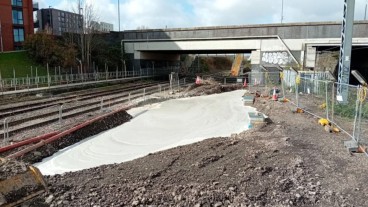
Emergency ground stabilisation protects rail works near Salford Central